

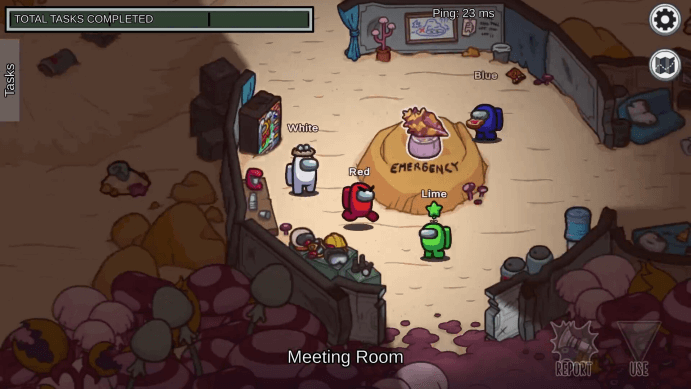
My colleague threw a link in WeChat: “Come quickly! The spaceship is about to start!” Click the link, the progress bar of the browser ran for five seconds, and I was already standing in the familiar spaceship. No download, no installation, it’s as simple as opening a web page — this is the magical experience of playing _Among Us_ with a browser.
Waiting Time: Seconds And Slow Waiting
Playing with Steam is like waiting for takeaway. You have to download a “packaging box” of more than 1G first, and then you can “cook” after installing it. And the browser version is like eating a convenience store, and you can get what you want by pushing the door. We tried several times, from clicking the link to really starting the game, on average, just a few blinks of an eye. However, if the network speed is not good, the browser version will be like a video with a bad signal, which will jam you from time to time.
Picture Performance: Fine Decoration And Simple Decoration
Putting the two versions together is like comparing fine decoration and simple decoration. In the Steam version, you can even see the pins on the space suit clearly, and the shadow under the light will change as you move. The browser version retains the most core appearance, which has everything it should have, but some details are missing. Just like the difference between fast food and restaurants, you can eat enough, but the experience is different.
Operation Feeling: Keyboard And Fingers
When you play on the computer, the shortcut keys on the keyboard make your operation smooth. To turn to the mobile phone, you have to poke around on the small screen, and sometimes you will press the wrong button when you are in a hurry. However, when playing with a tablet, it is easier to swipe directly with your hands.
Team-Up Experience: Group And Match
The most powerful thing about the browser version is that it is particularly convenient to form a team. We tried to call ten friends to play in one breath, and half of them had never played games on the computer. This convenience of “just click to play” has made many people who didn’t play games join in. But the price is that you can’t play the interesting maps and skins created by players.
Chat Communication: Built-In And Plug-In
The Steam version comes with voice chat, and you can talk directly in the game. For the browser version, you have to open another voice software. When we test, we open the WeChat group voice at the same time to communicate.
Critical Moment: Smooth And Stuck
The performance is most tested during the meeting and discussion. When everyone is crowded together to speak, the Steam version is still very smooth, and the browser version will be a little stuck. Just like in a video conference, it is easy for someone to drop the line when there are too many people.
Memory Retention: Permanent And Temporary
The Steam version will remember all your game achievements, and the browser version is like using disposable tableware and throwing it away after use — there is no achievement record, and every time it is a new beginning.
After a week of trial play, we feel that these two versions are like two lifestyles of the same game. The Steam version is suitable for sitting down and enjoying the complete experience with peace of mind, and the browser version is suitable for a fast-paced game of joy anytime and anywhere. Do you often quarrel about “which one is better to use” in your game group? Welcome to the comment section and say that you like it. Maybe your experience can just help others make choices